Multi-Agent in 5 Minutes
What multi-agent development looks like, why it matters, and what you're about to learn
What you'll learn
Picture This
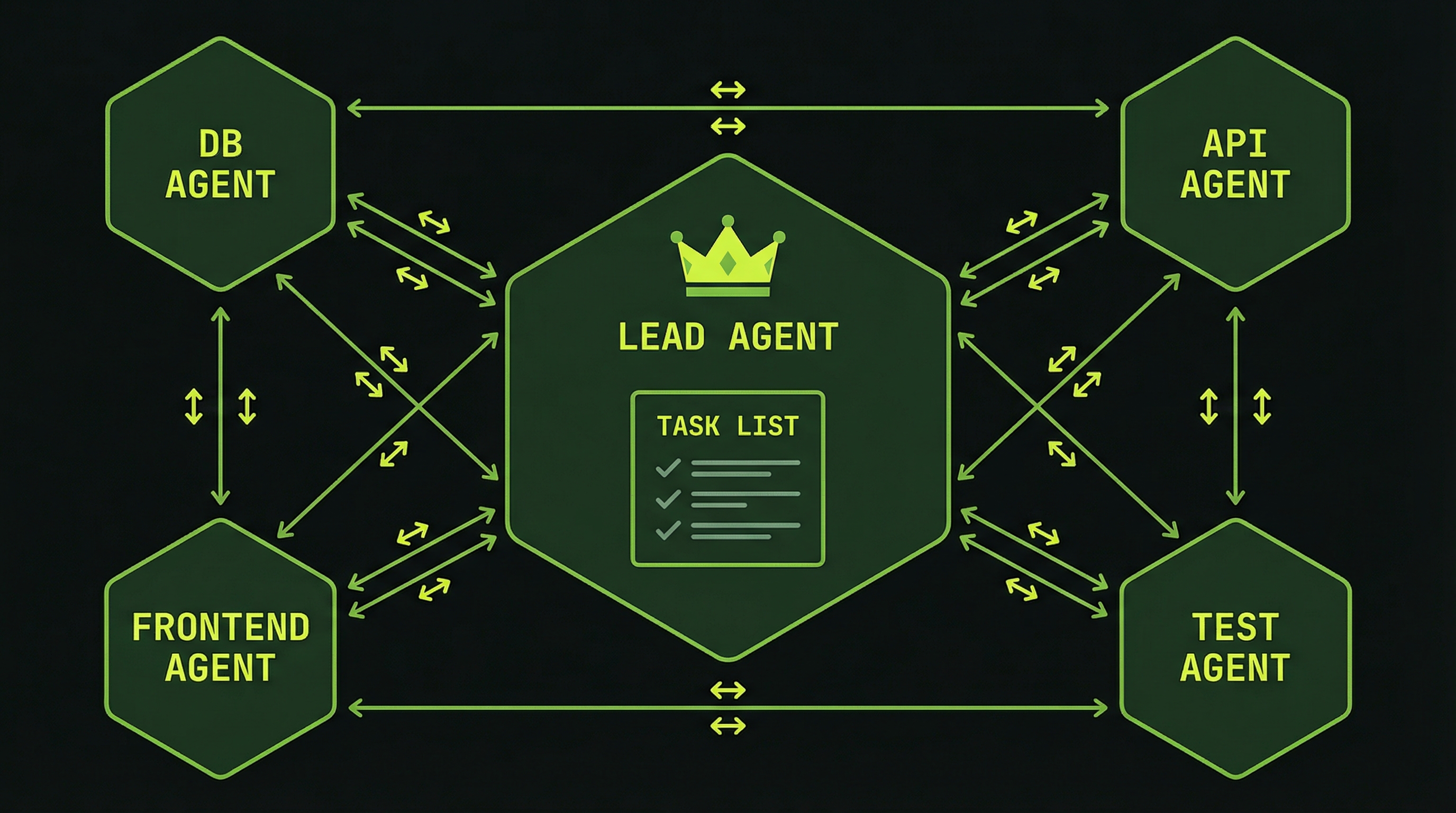
You type one prompt. Four terminal panes light up.
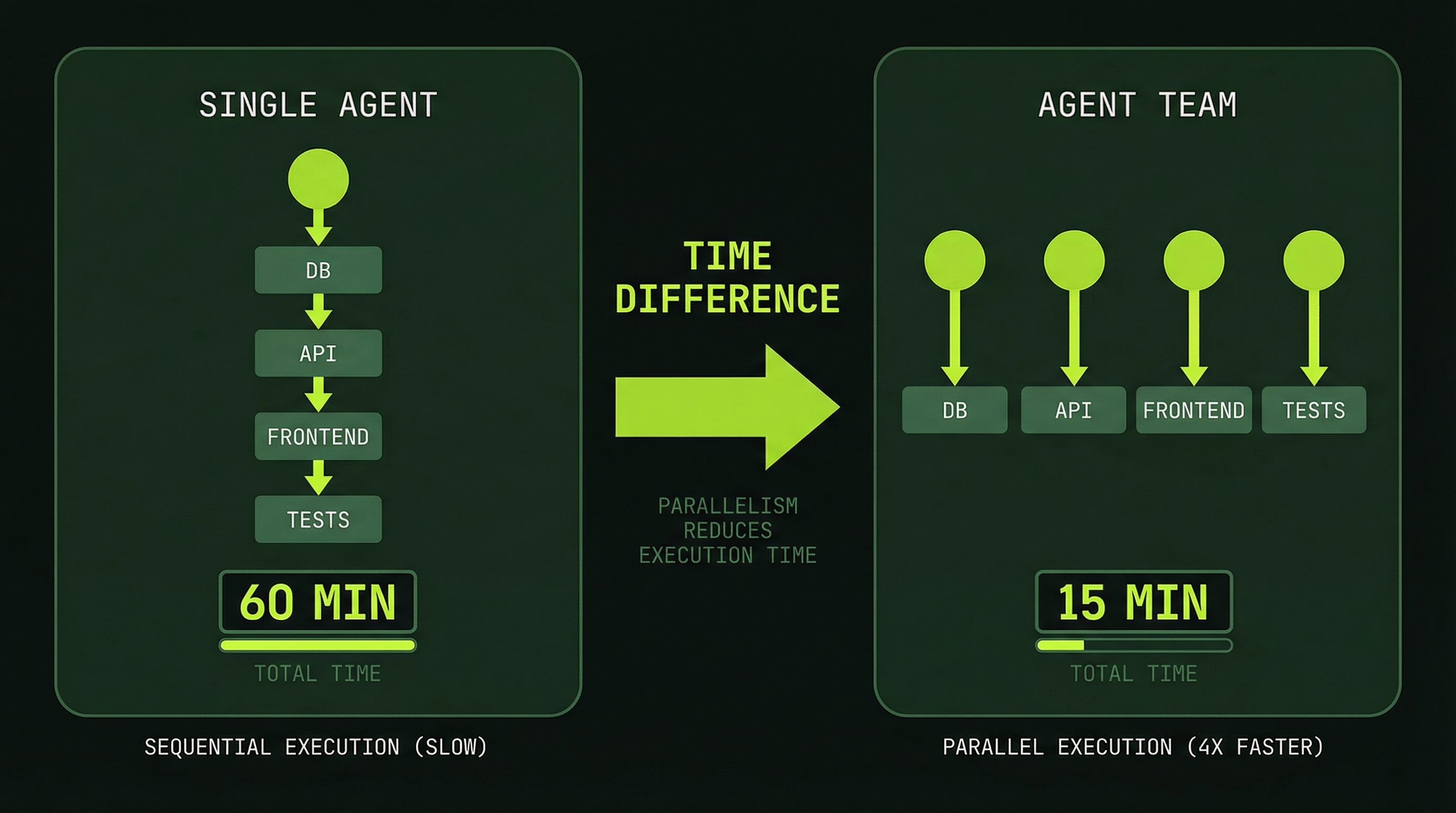
Each one is a separate Claude Code agent — one building your database schema, one writing your API, one scaffolding your frontend, one writing tests. They're not just running in parallel. They're talking to each other. The database agent finishes the schema and tells the backend agent what tables are available. The backend agent updates its API contracts and notifies the frontend agent. In minutes, work that would take a single agent an hour is done — and it all fits together because the agents coordinated.
That's multi-agent development. And you're going to learn how to do it.
What You're Looking At
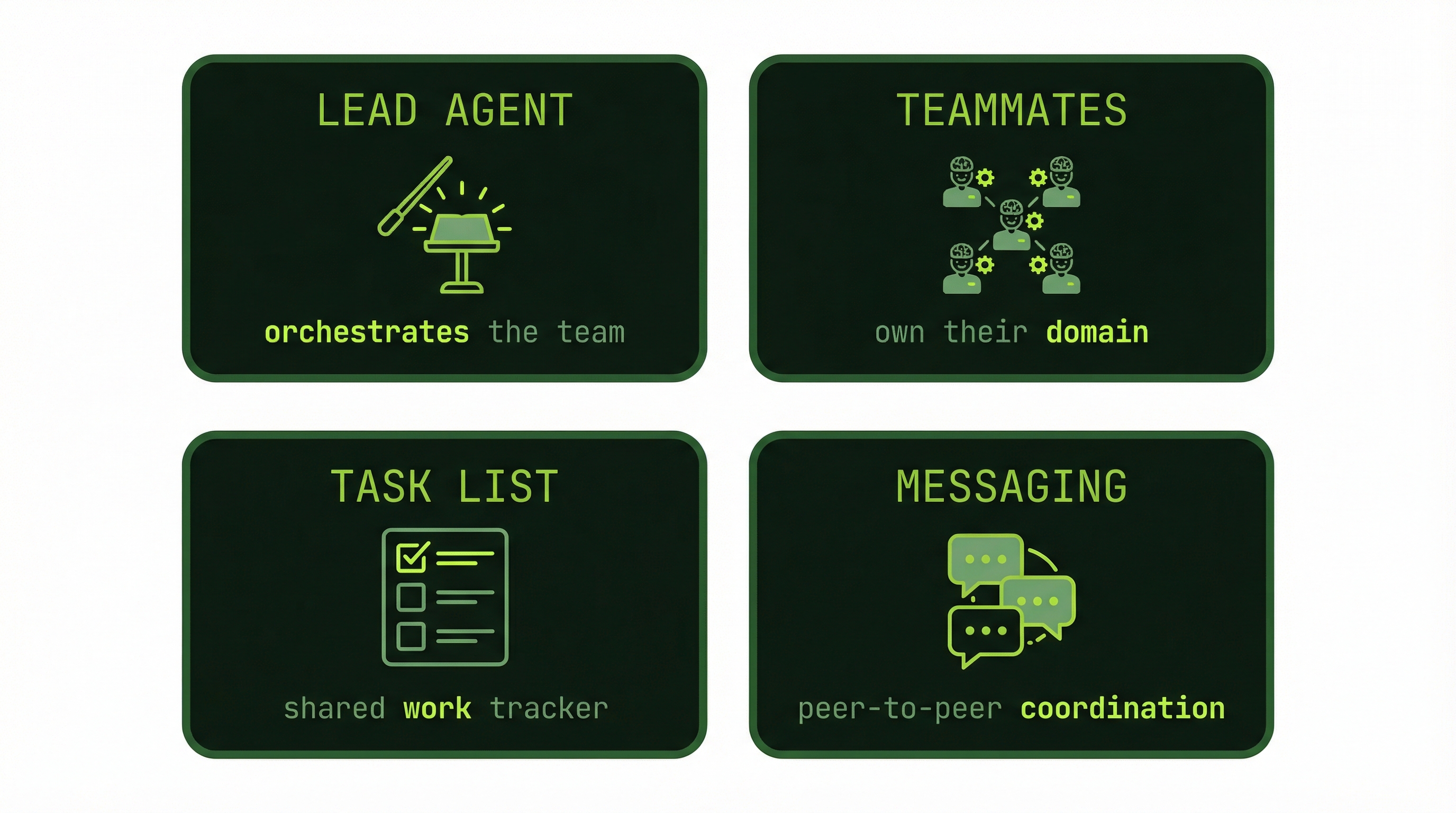
That scenario has four moving parts. These are the building blocks of every agent team you'll build in this course:
- A lead agent — your primary Claude Code session, the one that spawned everything else and keeps the mission in view
- Teammate agents — each one owns a domain (database, API, frontend, tests) and works independently inside it
- A shared task list — a file every agent reads and writes to, keeping the whole team aligned on what's done and what's next
- Peer messages — structured notes agents leave for each other ("I changed the schema — update your types")
All of it is visible in split terminal panes so you can watch it happen in real time. That's what tmux is for — and it's what the next module covers.
Opening four terminal windows and starting Claude Code in each one is not multi-agent. There's no coordination. No shared task list. No messages. Each agent is flying blind. What makes agent teams work is the communication layer — and that's exactly what this course builds.
This Is Not Science Fiction
Anthropic built a complete C compiler using 16 coordinating agents at an API cost of approximately $20,000. A traditional engineering team building the same compiler would have cost hundreds of thousands of dollars in engineering hours.
Agent teams shipped as an experimental feature inside Claude Code. It's real, it works today, and you don't need to be at Anthropic to use it.
The value wasn't just running 16 agents in parallel. It was that they communicated. Findings flowed between agents. Work stayed consistent across domains. That communication is the difference between a team and a crowd.
What You'll Need
Before the next module, make sure you have these four things. No installation steps here — just a quick check:
- Claude Code installed and working — you should be able to run
claudefrom your terminal - A terminal — macOS Terminal, iTerm2, or WSL on Windows all work
- tmux — we'll cover setup in the next module; check if you have it with
tmux -V - The experimental agent teams feature — we'll enable this in module 4 when you're ready to use it
What's Coming
In the next module, you'll set up tmux — the tool that gives you those split panes and lets you manage multiple agents from a single terminal window. Then we'll go deep on why multi-agent architecture matters and when single agents break down. By module 5, you'll have your first agent team running. By the end of the course, you'll be building custom skills that orchestrate teams for your specific workflows.
Modules 1–2: Orient and set up your environment. Modules 3–5: Understand the architecture, then build your first team. Modules 6–10: Go deeper — lifecycle, coordination patterns, observability. Modules 11–13: Cost management, custom skills, and lazygit for agents.